- Out-of-Stock
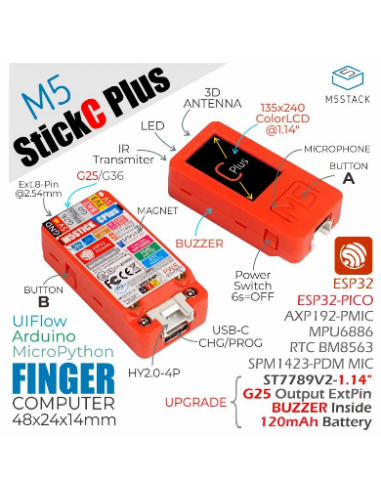
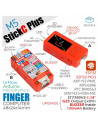
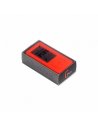
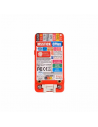
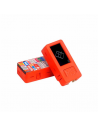
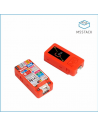
M5StickC PLUS is powered by an ESP32-PICO-D4 with Bluetooth 4.0 and WiFi. It is an upgrade of the original M5StickC featuring a larger screen. This portable, easy-to-use, open-source IoT development board enables you to realize your ideas, enrich your creativity, and speed up IoT prototyping. Developing with the M5StickC PLUS removes many pain points from the process. As one of the core devices in the M5Stack series, its compact body integrates rich hardware resources including infrared, RTC, microphone, LED, IMU, buttons, and PMU. Improvements over the standard StickC include a buzzer, a larger screen (1.14-inch LCD with 135 x 240 resolution), and a more stable hardware design.
Power switch operation:
Power on: Press power button for 2 seconds
Power off: Press power button for 6 seconds
Notice:
Baud rate supported by M5StickC Plus: 1200 ~ 115200, 250K, 500K, 750K, 1500K
G36/G25 share the same port; when one of the pins is used, the other pin should be set as a floating input.
For example, to use the G36 pin as the ADC input, configure the G25 pin as FLOATING.
The input range of VBUS_VIN and VBUS_USB is limited to 4.8-5.5V, and the internal battery will be charged through AXP192 power management when VBUS is powered.
setup()
{
   M5.begin();
   pinMode(36, INPUT);
   gpio_pulldown_dis(GPIO_NUM_25);
   gpio_pullup_dis(GPIO_NUM_25);
}
UnitV, M5StickV, M5StickC, and ATOM units may not work without drivers on some systems. Users can manually install the FTDI driver to fix this. Taking the Windows 10 environment as an example: download the driver file matching your operating system, decompress it, and install it via the Device Manager. (Note: In some system environments, the driver needs to be installed twice for it to take effect…[TRUNCATED]
You might also like
M5StickC PLUS is powered by an ESP32-PICO-D4 with Bluetooth 4.0 and WiFi. It is an upgrade of the original M5StickC featuring a larger screen. This portable, easy-to-use, open-source IoT development board enables you to realize your ideas, enrich your creativity, and speed up IoT prototyping. Developing with the M5StickC PLUS removes many pain points from the process. As one of the core devices in the M5Stack series, its compact body integrates rich hardware resources including infrared, RTC, microphone, LED, IMU, buttons, and PMU. Improvements over the standard StickC include a buzzer, a larger screen (1.14-inch LCD with 135 x 240 resolution), and a more stable hardware design.