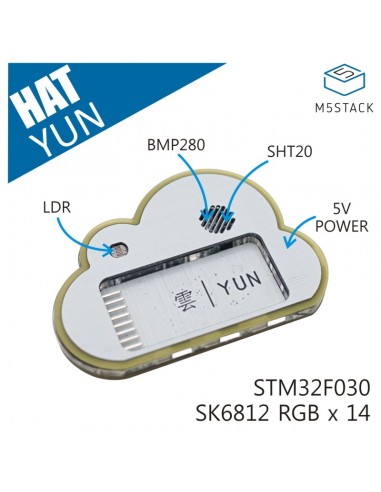
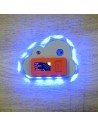
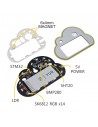
Module environnement compatible M5StickC : capteur de température/humidité SHT20, capteur de pression BMP280, photo-résistance et 14 LED RGB SK6812.
// Veuillez d'abord installer la bibliothèque Adafruit_BMP280
// Adafruit_BMP280 lib dans Sketch->Includ Library->Library Manager
#include "M5StickC.h"
#include <Adafruit_BMP280.h>
#include "SHT20.h"
#include "yunBoard.h"
SHT20 sht20;
Adafruit_BMP280 bmp;
uint32_t update_time = 0;
float tmp, hum;
float pressure;
uint16_t light;
void setup() {
M5.begin();
Wire.begin(0, 26, 100000);
M5.Lcd.setRotation(1);
M5.Lcd.setTextSize(2);
// RGB888
// led_set(uint8_t 1, 0x080808);
if (!bmp.begin(0x76)) {
Serial.println(F("Could not find a valid BMP280 sensor, check wiring!"));
}
/* Default settings from datasheet. */
bmp.setSampling(Adafruit_BMP280::MODE_NORMAL, /* Operating Mode. */
Adafruit_BMP280::SAMPLING_X2, /* Temp. oversampling */
Adafruit_BMP280::SAMPLING_X16, /* Pressure oversampling */
Adafruit_BMP280::FILTER_X16, /* Filtering. */
Adafruit_BMP280::STANDBY_MS_1000); /* Standby time. */
// put your setup code here, to run once:
}
uint8_t color_light = 5;
void loop() {
led_set_all((color_light << 16) | (color_light << 8) | color_light);
if(millis() > update_time) {
update_time = millis() + 1000;
tmp = sht20.read_temperature();
hum = sht20.read_humidity();
light = light_get();
pressure = bmp.readPressure();
M5.Lcd.setCursor(0, 8);
M5.Lcd.setTextColor(TFT_WHITE, TFT_BLACK);
M5.Lcd.printf("tmp:%.2frn", tmp);
M5.Lcd.setTextColor(TFT_GREEN, TFT_BLACK);
M5.Lcd.printf("hum:%.2frn", hum);
M5.Lcd.setTextColor(TFT_WHITE, TFT_BLACK);
M5.Lcd.printf("pre:%.2frn", pressure);
M5.Lcd.setTextColor(TFT_GREEN, TFT_BLACK);
M5.Lcd.printf("light:%04drn", light);
}
M5.update();
if(M5.BtnA.wasPressed()) {
esp_restart();
}
delay(10);
// put your main code here, to run repeatedly:
}
Vous aimerez aussi
Module environnement compatible M5StickC : capteur de température/humidité SHT20, capteur de pression BMP280, photo-résistance et 14 LED RGB SK6812.